
Download Kick Live Streaming – Free, Secure, Real‑Time Broadcast Tool for Creators
Overview
Kick Live Streaming is a subscription‑based multimedia service that empowers content creators to broadcast live video to a global audience. Positioned as a fresh alternative to Twitch, Kick offers an intuitive interface that works equally well for newcomers and seasoned streamers. The platform’s core promise is to let creators build a recognizable brand, grow a loyal fan base, and monetize their content through a generous 95‑5 revenue split, sponsored collaborations, ad earnings, and an interactive tipping system.
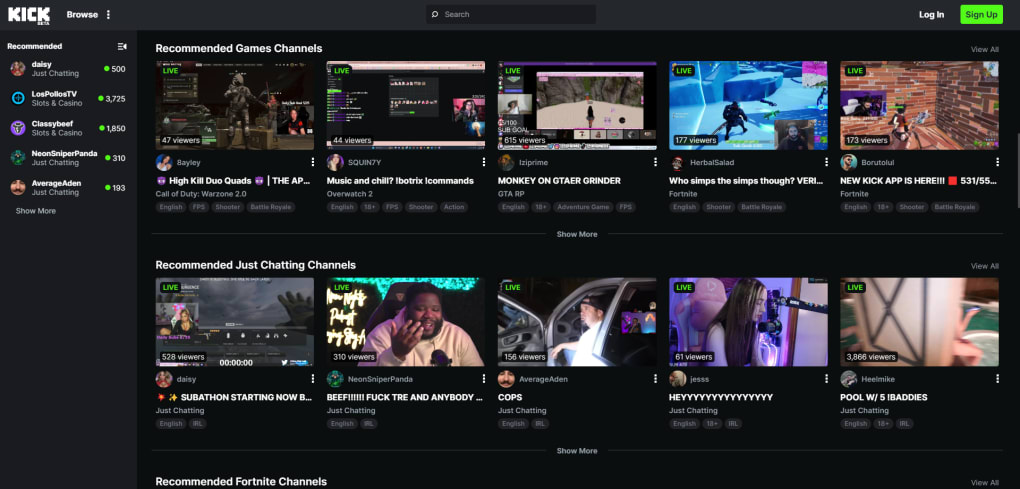
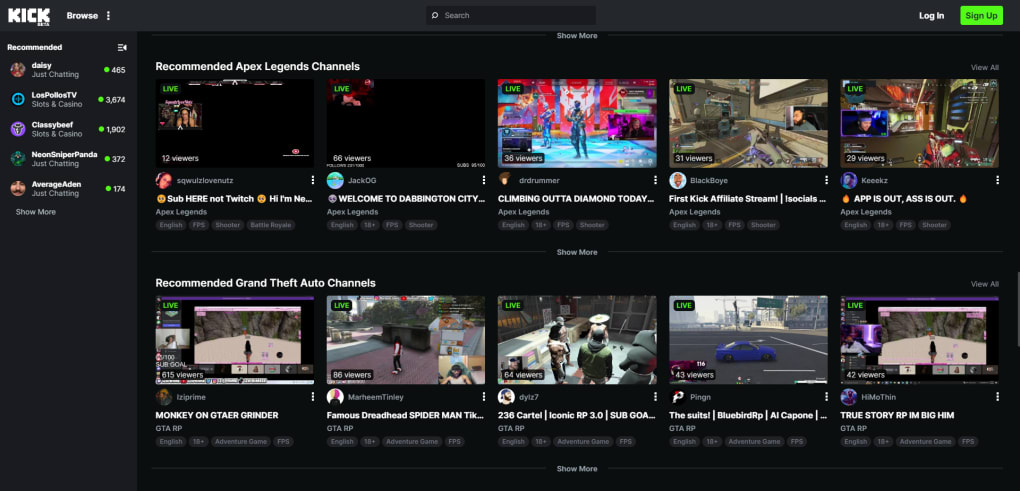
Whether you’re sharing gameplay, hosting debates, showcasing merchandise, or experimenting with niche hobbies, Kick provides a flexible stage that adapts to a wide variety of genres. The platform also integrates real‑time chat, viewer polls, and customizable overlays, fostering an interactive experience that keeps audiences engaged. While the parent company also runs a gambling site—resulting in occasional gambling‑related ads—Kick’s primary focus remains on delivering a secure, low‑latency streaming environment.
For creators looking to expand reach without surrendering a large portion of earnings, Kick Live Streaming stands out as a viable, revenue‑friendly solution that balances professional features with user‑friendly design.
Key Features & Benefits
- 95‑5 revenue split that heavily favors creators on paid subscriptions.
- Live chat, polls, and real‑time audience interaction tools.
- Customizable stream overlays, alerts, and branding options.
- Multi‑genre support: gaming, talk shows, tutorials, merchandise showcases, and more.
- Integrated tipping system with instant payout.
- Sponsored content marketplace for brand collaborations.
- Low‑latency streaming technology for smooth, real‑time broadcasts.
- Analytics dashboard that tracks viewer count, subscription revenue, and engagement metrics.
- Cross‑platform accessibility via web, Windows, macOS, Android, and iOS apps.
- Secure login with two‑factor authentication and encrypted data transmission.
The feature set is designed to reduce friction for creators at every stage of their streaming journey. The generous revenue split means that for every $10 subscription, creators keep $9.50—a stark contrast to many competing platforms. Interactive tools such as live polls and chat moderation empower streamers to shape the conversation and keep viewers invested.
Custom overlays let you imprint your brand identity directly onto the stream, reinforcing visual consistency across all your content. The integrated tipping system eliminates the need for third‑party services, delivering instant payouts that can be reinvested into production quality or saved as profit. Moreover, the sponsored content marketplace connects creators with brands that match their niche, opening new income streams without the hassle of negotiating deals independently.
All these benefits are backed by a robust analytics suite that provides actionable insights, helping you refine content strategy and grow your audience methodically.
Installation, Usage & Compatibility
Getting started with Kick Live Streaming is straightforward. First, visit the official website and click the “Download” button for your operating system. The installer is available for Windows 10 or later, macOS 11 (Big Sur) or later, Android 6.0+, and iOS 13+.
After downloading, run the installer and follow the on‑screen prompts. The setup wizard guides you through creating a Kick account, linking a payment method for subscriptions, and configuring basic stream settings such as resolution, bitrate, and audio source. The application automatically detects available webcams and microphones, allowing you to select preferred devices before you go live.
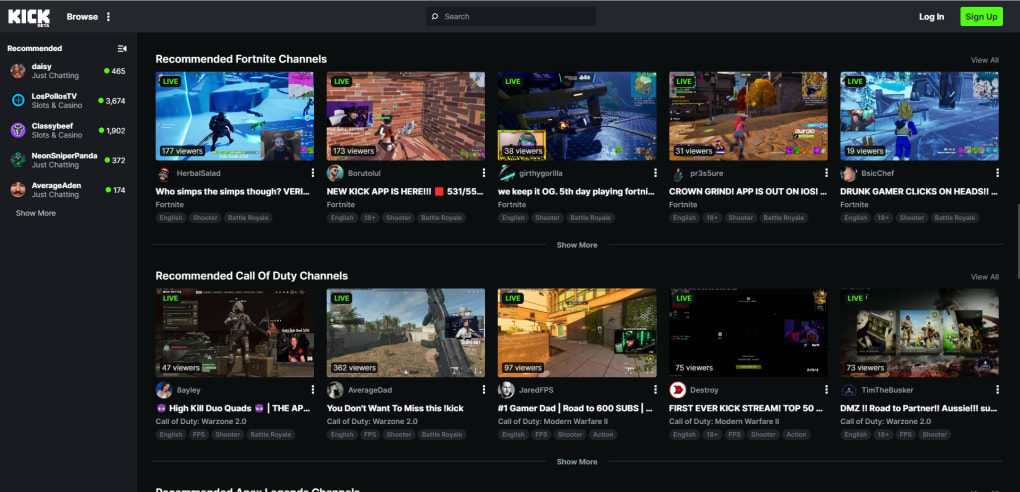
Once installed, launch the app and log in with your credentials. The main dashboard presents a clean, tile‑based layout: “Start Stream,” “Analytics,” “Community,” and “Settings.” Clicking “Start Stream” opens a pre‑broadcast screen where you can add titles, tags, and select a thumbnail. From here, you can enable or disable interactive features like chat overlay, polls, and the tipping widget. After hitting “Go Live,” Kick handles the encoding and distribution, delivering your feed to viewers worldwide with sub‑second latency. Throughout the broadcast, you can monitor real‑time viewer counts, subscription alerts, and donation notifications via the on‑screen overlay.
Compatibility is a major selling point. Kick supports both 64‑bit Windows and macOS architectures, ensuring smooth performance on most modern PCs and laptops. Mobile apps for Android and iOS allow you to stream directly from a smartphone, making it easy to broadcast on the go.
The platform also integrates with popular streaming hardware like Elgato Capture Cards and OBS Studio, giving advanced users the flexibility to use external encoders if desired. System requirements are modest: a dual‑core CPU, 4 GB RAM, and a stable internet connection of at least 5 Mbps upload for 720p streaming. For 1080p at 60 fps, a 10 Mbps upload speed is recommended.
Kick’s lightweight client ensures low CPU usage, leaving ample resources for gaming or other demanding applications while you broadcast.
Conclusion, Pros & Cons, FAQ & Call to Action
Pros
- Highly favorable 95‑5 revenue split maximizes creator earnings.
- Rich set of interactive tools (chat, polls, tips) boosts audience engagement.
- Cross‑platform support (Windows, macOS, Android, iOS) expands reach.
- Easy installation and intuitive dashboard reduce learning curve.
- Integrated sponsorship marketplace opens additional monetization paths.
Cons
- Occasional gambling‑related ads may not align with all brand values.
- Subscription model may deter viewers accustomed to free platforms.
- Limited third‑party plugin ecosystem compared to more established services.
- Advanced features (e.g., multi‑camera switching) require external software.
- Customer support response times can be slower during peak launch periods.
Frequently Asked Questions
Is Kick Live Streaming free to download?
Yes, the app can be downloaded for free from the official website or app stores. Monetization occurs through subscriptions, tips, and ads.
What devices can I use to stream on Kick?
Kick supports Windows PCs, macOS computers, Android phones/tablets, and iOS devices. It also works with external capture cards and OBS for advanced setups.
How does the 95‑5 revenue split work?
For every paid subscription, 95 % of the revenue goes directly to the streamer, while Kick retains the remaining 5 % as a platform fee.
Can I monetize my stream without a large audience?
Yes. Kick’s tipping system and sponsorship marketplace allow creators to earn even with modest viewer numbers, especially if they engage niche communities.
Is my data safe on Kick?
Kick uses encrypted data transmission and offers two‑factor authentication to protect accounts. Regular security audits are performed to maintain platform integrity.
In summary, Kick Live Streaming delivers a powerful, creator‑centric broadcasting solution that blends ease of use with generous monetization terms. Its cross‑platform availability, interactive features, and supportive analytics make it a compelling choice for anyone serious about building a personal brand or expanding an existing community. While the presence of gambling ads and a relatively young ecosystem may raise concerns for some, the platform’s overall value proposition—especially the 95‑5 revenue split—outweighs these drawbacks for most creators. Ready to elevate your streaming career? Download Kick Live Streaming today, set up your channel, and start turning live interactions into sustainable income.



.png)



